Очистка Mac от системного мусора
Представьте ваш Mac как пространство, которое требует регулярной уборки. Так же, как в доме накапливается хлам, ваш компьютер заполняется ненужными файлами, известными как "системный мусор".

Что такое системный мусор?
Системный мусор - это файлы, которые накапливаются на вашем компьютере в процессе работы.
Как приложения, так и сама macOS создают временные файлы для ускорения работы и выполнения различных задач. Эти файлы могут быть полезны в краткосрочной перспективе, но со временем они превращаются в бесполезный груз. Кроме того, система ведет журналы своей активности, необходимые при устранении неполадок, но они могут занимать значительное пространство, если не удалять их регулярно.
App Store и Spotlight также хранят кэш данных. Размер кэша App Store увеличивается при частых установках и удалениях приложений, а размер кэша Spotlight растет, если вы активно используете функцию поиска на Mac.
Почему же нужно чистить системный мусор?
Системный мусор не только занимает место на диске, но и может замедлять работу вашего компьютера, поскольку система вынуждена тратить ресурсы на обработку лишних файлов. Когда ваш Mac пытается получить доступ к файлам, которые перегружены системным мусором, ему приходится тратить больше времени на поиск необходимых файлов, что приводит к замедлению работы системы.
Системный мусор может привести к сбоям и ошибкам системы, поскольку он может занимать ресурсы, необходимые для ее работы. Попытка системы получить доступ к поврежденным или недействительным файлам иногда приводит к сбоям и ошибкам.
Системный мусор может косвенно привести к перегреву вашего Mac, так как система запускает множество процессов и заставляет процессор работать усерднее. Перегрев процессора, в свою очередь, может привести к снижению производительности, сбоям и даже повреждению оборудования.

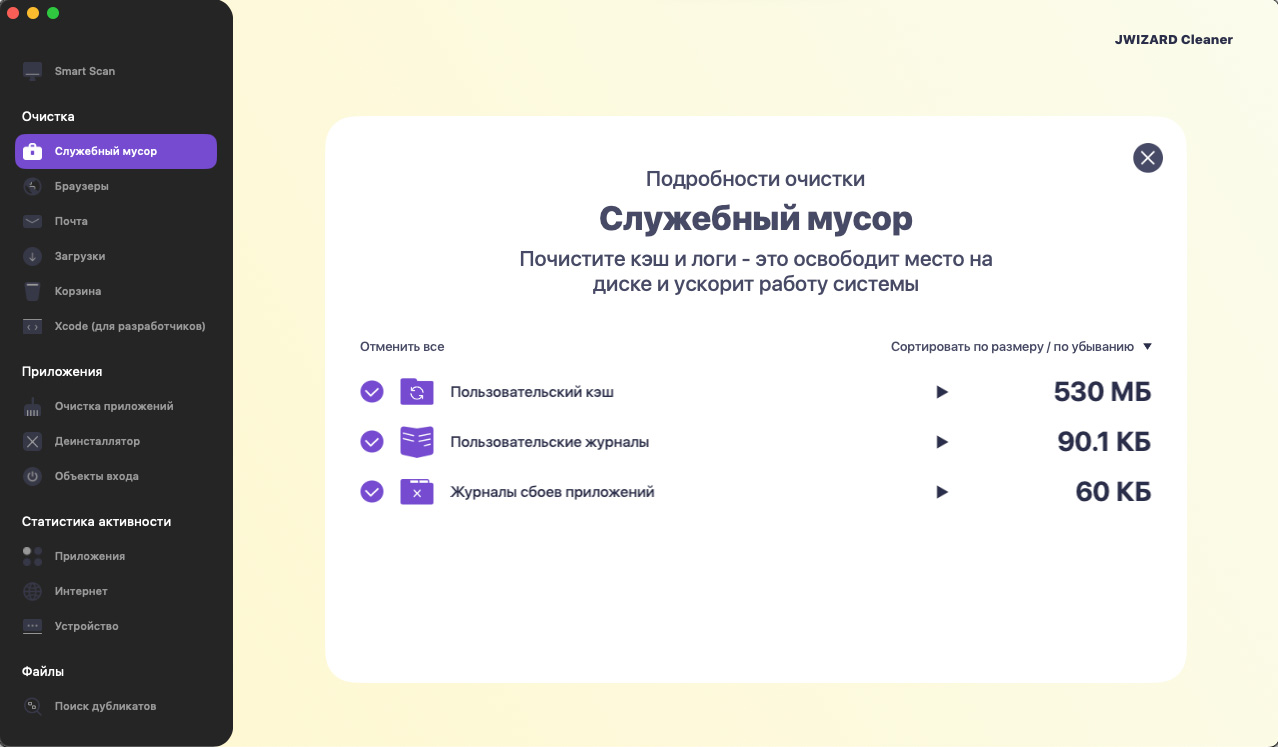
JWIZARD Cleaner поможет вам очистить Mac от системного мусора
Регулярная очистка системного мусора - это важный шаг к поддержанию здоровья и производительности вашего Mac!
Уделяя время очистке ненужных файлов, вы можете освободить место на диске, повысить скорость работы системы и продлить срок службы вашего устройства.
JWIZARD Cleaner - это эффективное и простое в использовании приложение, которое поможет вам в этом. Приложение сканирует ваш Mac, находит ненужные файлы и удаляет их, освобождая дисковое пространство, что позволяет вашему Mac работать быстрее и плавнее.
Использовать JWIZARD Cleaner легко:
Скачайте и установите JWIZARD Cleaner на свой Mac.
Запустите приложение, откройте раздел “Системный мусор”
Нажмите кнопку "Сканировать".
JWIZARD Cleaner просканирует ваш Mac и найдет системный мусор.
Просмотрите список найденных файлов и выберите те, которые хотите удалить.
Нажмите кнопку "Удалить" и JWIZARD Cleaner удалит системный мусор.

Скачайте JWIZARD Cleaner уже сегодня
и получите быструю и эффективную очистку от системного мусора
Другие функции JWIZARD Cleaner:
Статьи

Что делать, если приложения не удаляются из Launchpad?
Узнайте, как решить проблему с удалением приложения из Launchpad. В статье представлены пошаговые инструкции и полезные советы для устранения этой неполадки.

Как удалить приложение на Mac?
3 способа деинсталляции приложений на Mac: сравните и выберите наиболее удобный для вас. Узнайте, как полностью удалить приложение с Mac и очистить дисковое пространство.

Освобождаем пространство на Mac: как удалить ненужные файлы и очистить диск?
Узнайте, как очистить дисковое пространство на Mac с помощью ручных методов очистки или программы. Следуйте советам, чтобы освободить место и повысить производительность.